MCP for Agents
MCP for Agents is the runtime AdCritter MCP. Connect it from automation platforms and in-product LLMs to execute live AdCritter operations — list, read, create, and update advertisers, campaigns, plans, and reports through a small, predictable meta-pattern.
Connector URL
https://mcp.adcritter.com/mcp/agentConnect
Claude Desktop
Anthropic's chat app for everyday work. Connect AdCritter to draft plans, pull reporting, and queue changes from chat.
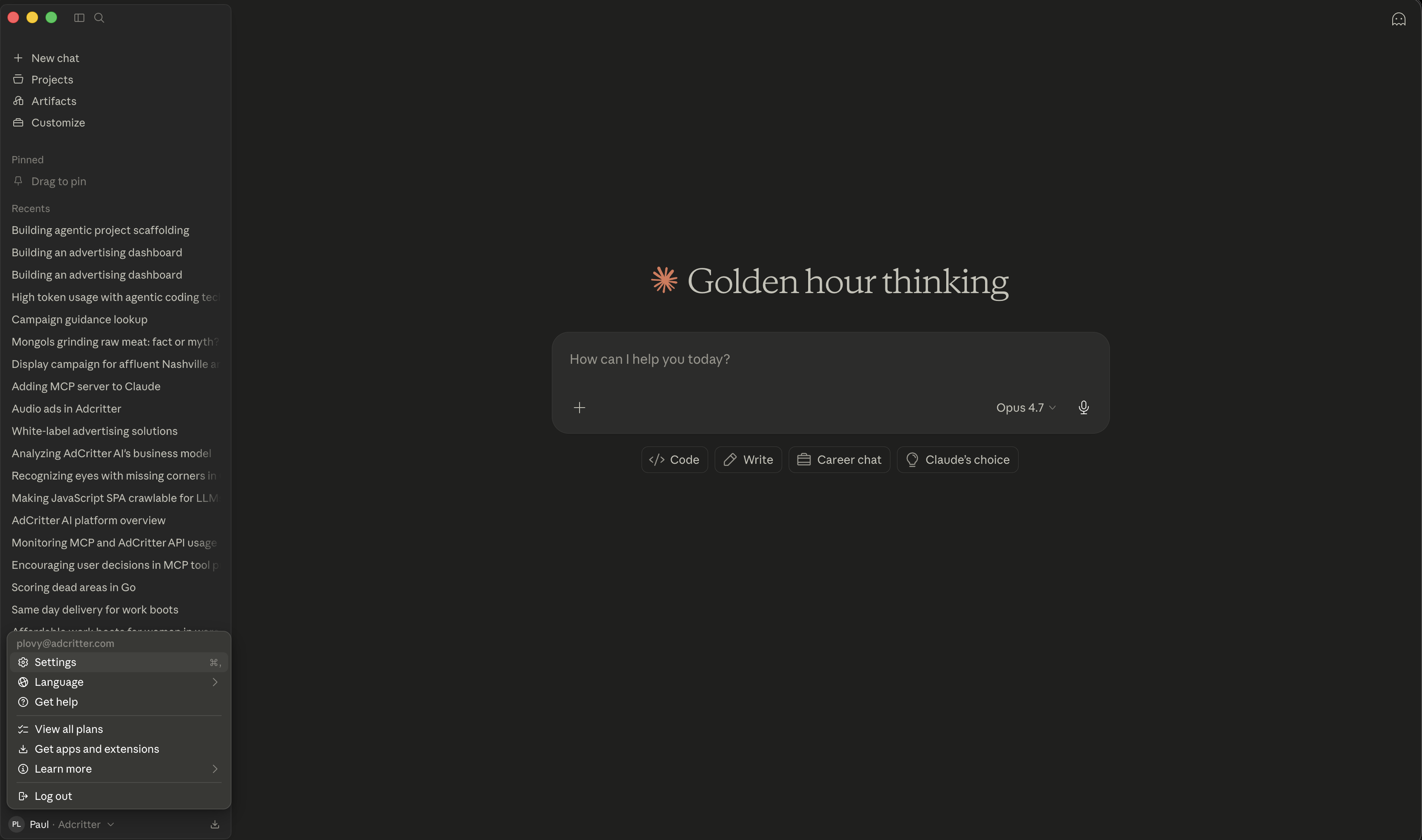
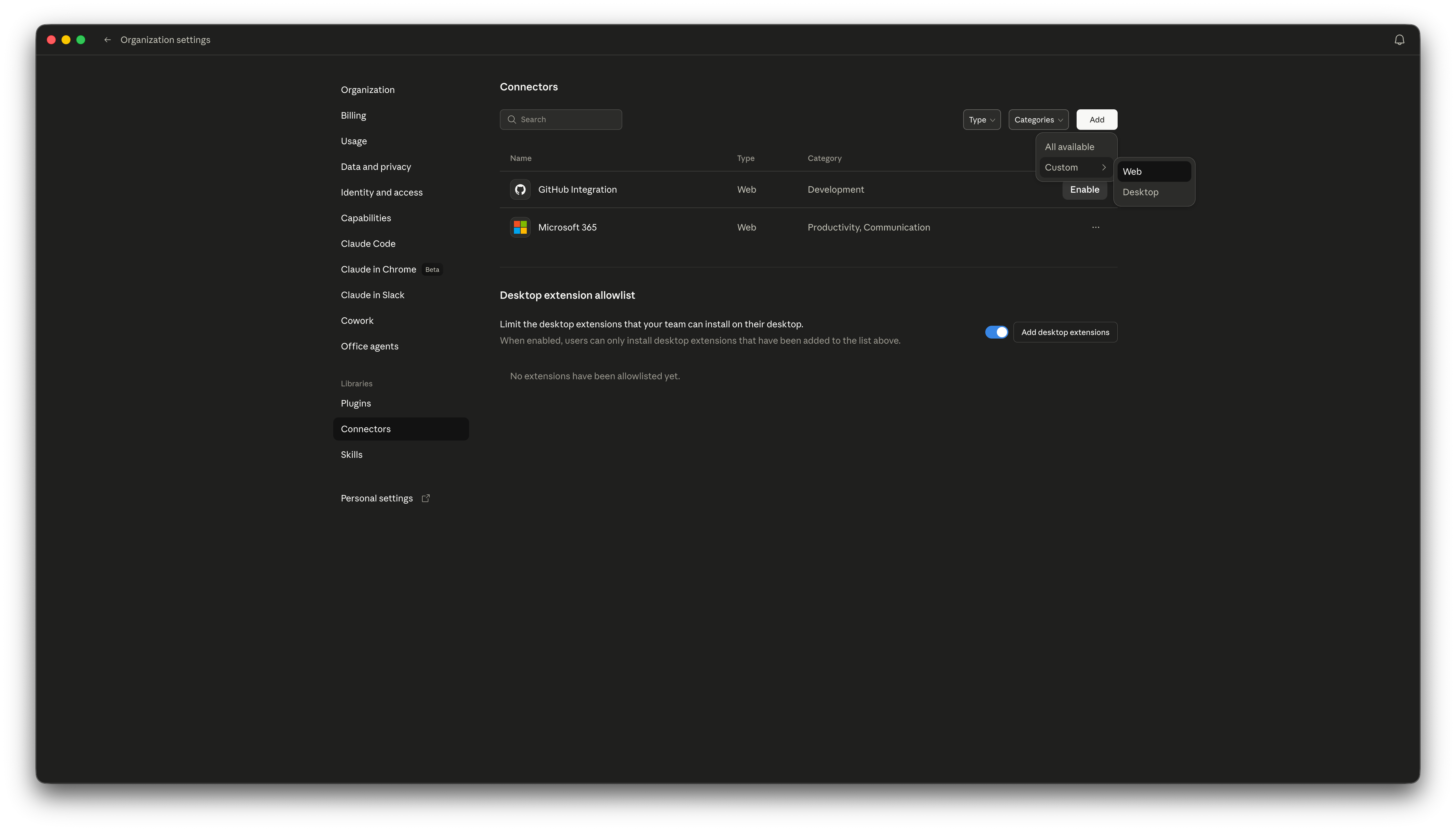
- 1Open ConnectorsClaude Desktop → Settings → Connectors → Add custom connector.
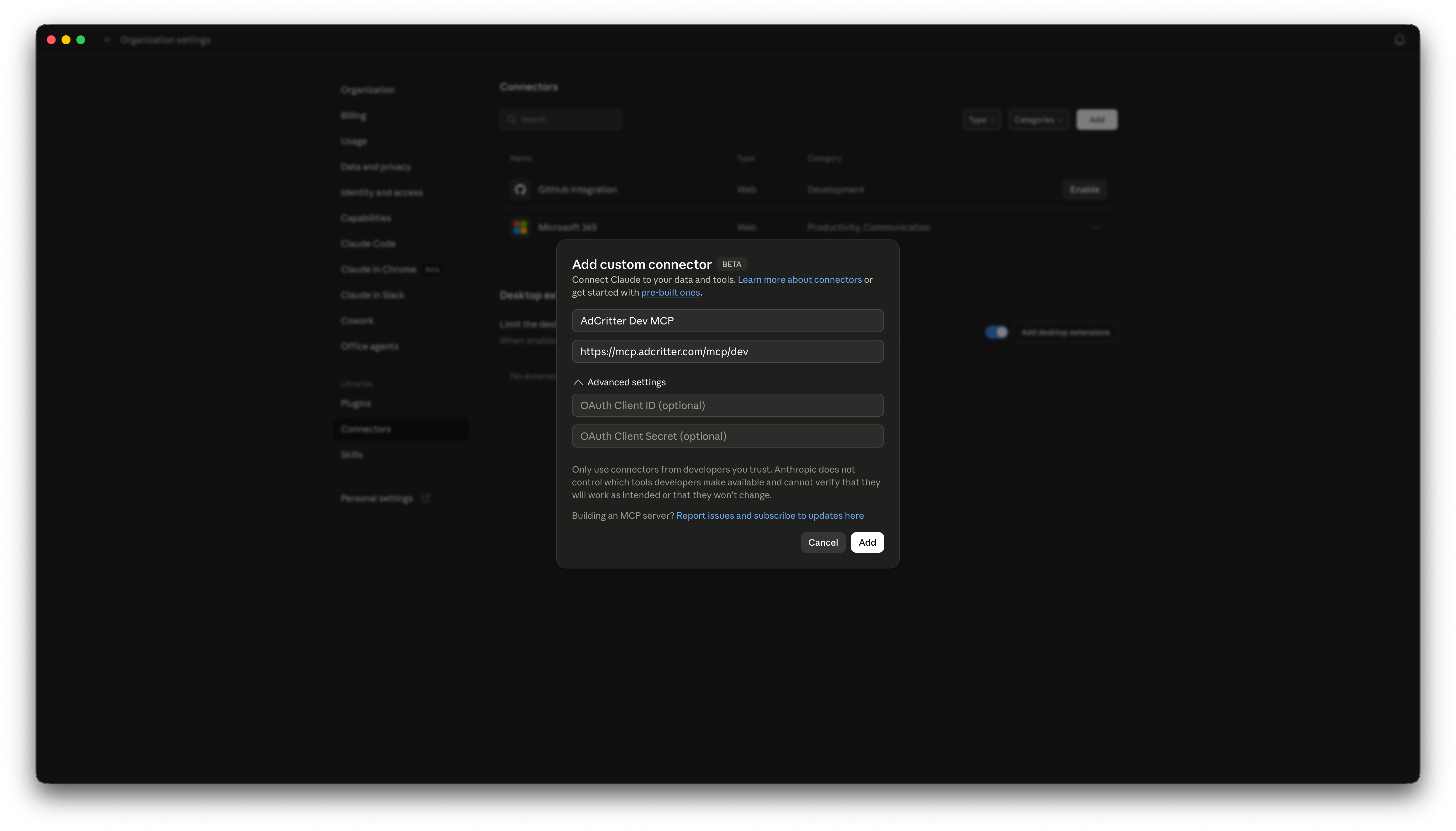
- 2Name it and paste the URLName: AdCritter. URL: paste the value above. Leave the rest at the defaults.
- 3Authorize AdCritterClaude Desktop opens an OAuth window. Sign in and approve the requested scopes. The AdCritter tools appear in any new chat.
Walkthrough
Click any image to open full size

Verify
Once authorized, ask the agent a question that requires AdCritter data. The tool call should appear in the trace and return your live advertisers.
Prompt
List my AdCritter advertisers.
If the agent doesn't see AdCritter in its tool list, restart the client and re-check the connector URL. If OAuth fails, sign out of AdCritter in the browser and try again from the client.